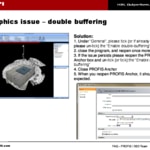
I have a newer laptop, a Dell XPS 13 running Windows 10 Pro, version 1803 build 17134.472, that is having issues running Profis 2.8.0 properly. Once open, the screen constantly refreshes and redraws the anchor assembly when moving the cursor. It is near impossible to click on any of the options to change values due to this constant refresh. I have removed and reinstalled Profis completely, updated the video drivers, adjusted hardware acceleration (on & off) and yet the problem persists. Are there any other suggestions to get it operational? Thank you in advance.
Hi Bill,
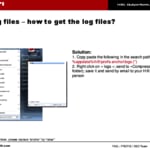
Typically following the attached troubleshooting guide will fix this graphics problem. After ticking or unticking the "Enable double-buffering" the program will have to be closed and reopened. This may need to be repeated a few times. If this does not correct the problem, please email your log files to hnatechnicalservices@hilti.com, and we will be able to troubleshoot further.
Lisa