
Support for Tool Fleet Management
Get the most out of Fleet account with our customer support center
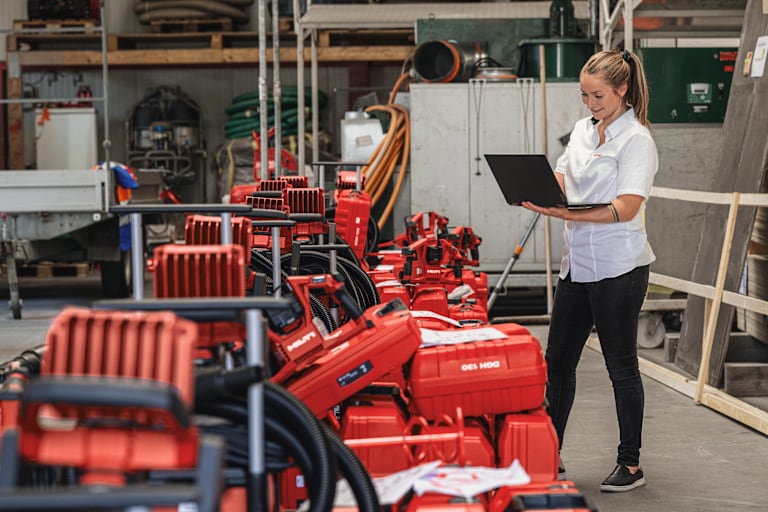
Tool Fleet Management is easier with a Hilti Online account. Gain access to view your current tools online, submit and track repairs, report tools as lost or stolen and exchange or return tools – all with a few easy steps.
To get started, register or log in to your account to view your documents, manage your tools and so much more.
How do I register online?
If you have an existing Hilti account, call Customer Service at 1-800-879-8000 to verify your email address is in our system and web authorized. This prevents creating a duplicate account.
Go to Register
Click Register Now
Enter your work e-mail address
Create a password with the security requirements
Verify country of residence, check box to accept Terms & Conditions, click continue
Check your email for 6-digit code and enter to confirm your email address
For new accounts – follow the screen prompts and complete the form to set up your account
How do I log in?
Log in to your Hilti account
Enter your email and the password you created
Click log in to go to dashboard
Log in to your Hilti account
Click on your name at the top of the browser window
Select 'Your tools' under Tool management
To access only tools included in your Fleet Management contract, select the 'Fleet Only' button
Use the advanced filter to view the tool status to view which tools are still active or not.
After meeting with your Account Manager and deciding on tools to add to your Fleet, you will receive an email – Please Review E-Contract
Click on the Get Started link
After logging into your account, you will see the quotation page with tool details, invoicing, and other customizations
After confirming the delivery address and account information, you can approve or reject the quote
The next step requires you to fill out banking information to set up EZ Pay
You will be taken to DocuSign portal to verify your data, review the fleet premium terms & conditions, and complete the signature process
The final step is identity confirmation, and a unique code is sent to the mobile number on file. After clicking 'sign' the contract will be sent to the Fleet back-office team for activation
With Tool Fleet Management, you're covered in the event of a lost or stolen tool, which can help limit your financial exposure. To report a tool as lost or stolen, follow the steps below:
Log in to your Hilti account
Click on your name at the top of the browser window
Select 'Report Lost/Stolen' under Tool management
Select which tool(s) you want to report as lost or stolen and click 'Report Lost/Stolen'
Mark each tool as either 'Lost' or 'Stolen'
If 'Stolen', input police report number, police contact information and upload a copy of the police report if available
Indicate whether a replacement is needed
If 'Yes', fill out the order information for the replacement tool
Click 'Report Lost/Stolen'
One of the benefits of Tool Fleet Management is the ability to renew expiring Fleet tools with our latest and most productive. Plus, processing a Hilti Fleet renewal request on Hilti.com is quick and easy. To get started, follow these step-by-step instructions to renew expiring tools in the last active month:
Log in to your Hilti account
Click on your name at the top of the browser window
Select 'Fleet exchange' under Tool management
Select which tool(s) you want to renew and click 'Renew'
Change or add tools as needed when reviewing the renewal
Once a renewal has been submitted, your new tools will arrive tagged for the ON!Track app. If you are also an ON!Track customer, you will need to add your assets to you ON!Track system once you receive them.
Requesting a tool repair online is simple, fast and convenient - allowing you to track the status of your repair along the way.
Log in to your Hilti account
Click on your name at the top of the browser window
Select 'Repair tools' under Tool Management
Check the box(es) to select tool(s) you want and click the 'Repair' button
Fill out the request form, delivery options, purchase order number and click 'Submit Order'. Prepaid shipping label(s) will be emailed to you - simply print, attach to box and ship
With a Fleet extension, you can merge several renewal events for even more flexibility. To extend tools online, follow the steps below:
Log in to your Hilti account
From your dashboard, in the 'Tool Management' section, click on 'Exchange Tools'
Complete your renewal - Select the relevant tool(s) then click on ‘Renew’
The first step proposes a renewal offer. Enter the number of tools you want
Complete all the steps, from delivery of the new tool to collection of the old one
Log in to your Hilti account
Click on your name at the top of the browser window
Select 'Return Tools' under Tool management
Select the tool you wish to return
Include the number of packages for pickup
Select Submit Order
By submitting a tool repair request on Hilti Online, you'll be able to track the progress of the repair online, anytime, anywhere.
To track the status of your tool repair:
Log in to your Hilti account
Click on your name at the top of the browser window
Select 'Repair tracking' under Tool Management
Within the list of tools, find the one you want to track and select the corresponding arrow button in the far right column
You will then find detailed information about your tool and the status of the repair through 6 different steps: order received, tool is picked up, arrived in the Tool Service Center, tool in service, Tool service completed and shipping, and tool returned
If you have any questions, please contact our regular support. Please always refer to your service number.
Log in to your Hilti account
Click on your name at the top of the browser window
Select 'Your tools' under Tool management
Based on the contract end date, find the tools that need to be returned
Organize the collection of old tools after delivery of the new tools by going to the Tool Crib Management section and selecting the tools you would like to send back
A prepaid FedEx shipping label will be emailed to you
Box up the tools and give to the FedEx driver on their next pick up
Note: batteries over 300 Wh cannot be sent back by parcel (please dispose at your local recycling company)
For ON!Track customers: You will need to retire the returned tools in the system
There is a non-collection fee applicable for Fleet tools that are not returned
With Tool Fleet Management, you can request a loaner tool during the repair process to help reduce downtime and delay. With loaner tools, you don't need to have back up tools on hand.*
1. Log in to your Hilti account
2. Click on your name at the top of the browser window
3. Select "Loan Tools" under Fleet Management
4. Select the tool(s) you would like to return, and follow the prompts to complete the return
*Some exclusions apply.
You can also submit a tool repair through the ON!Track mobile app, Hilti Store locations, or by calling customer service.
Fleet Management repair service excludes the following wear and tear parts:
Pistons, buffers and stop rings for decking tools (DX 860, DX 9, and DX 76)
Filters for Vacuums
Log into your Hilti account
Click on your name at the top of the browser window
Select “Update Fleet ID Tag” under Fleet Management
Select the tool you wish to update a label for
Tick the checkbox on the tool you want to update and click "Update ID Tags"
Submit inventory number and select organization reference as needed
With Tools on Demand, you put Hilti’s high-performing tools to work at just the right time to help save you the cost and headache of keeping up with under-used tools or the need to purchase tools you only need for specific jobs and peak demands.
Log in to your Hilti account
Click on your name at the top of the browser window
Select 'your tools' under Tool management
Select the 'Tools on Demand Only' tab
Log in to your Hilti account
Go to the product you wish to order and select the Tools on Demand tab
Enter your estimated usage period
Adjust the quantity as necessary
Add to cart
Log in to your Hilti Account
Click on your name at the top of the browser
Under Fleet Management, select Tools on Demand
Select which tool(s) you want to return
Change or add tools as needed when reviewing the return
Please use the Tools that require special handling guidelines for packing of tools.
Hilti is pleased to offer our Tool Fleet Management partners EZ Pay options to help you save time and money by reducing administration costs and eliminating check and postage costs.
EZ Pay authorizes Hilti, Inc or Hilti (Canada) Corporation to automatically receive your Tool Fleet Management payment from your bank account on a monthly basis.
Fill out the
Email form to ElectronicPayment@hilti.com Sign up for paperless invoicing
Call 1-800-879-8000
Purchase a qualifying tool
Receive a pre-paid shipping label via e-mail or fax from Hilti
Box up trade-in tool and affix pre-paid shipping label
Give packaged trade-in tool to your shipper
Trade-in voucher code will be emailed once Hilti receives your qualifying trade-in tool.

Hilti account managers offer onsite expertise and solutions.
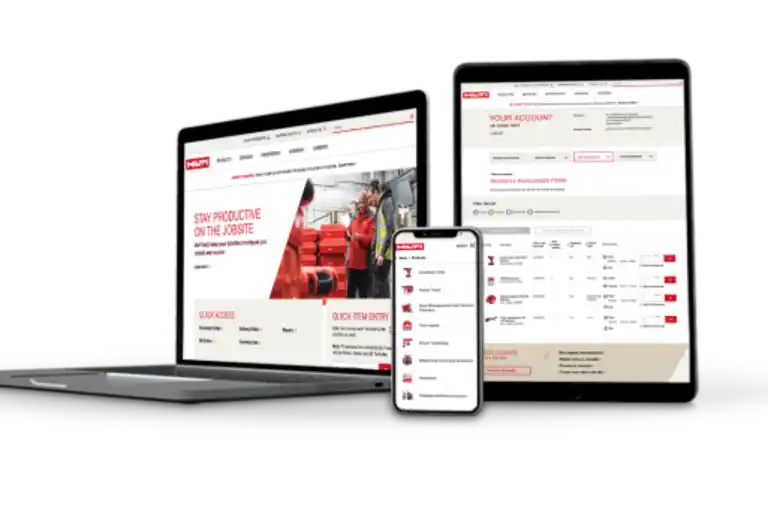
Get the job done faster on our website by checking stock availability, accessing trainings, submitting repairs and more.
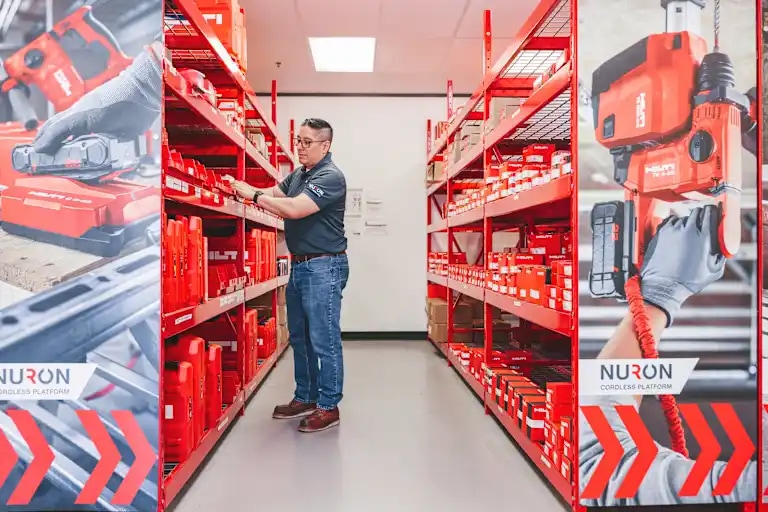
Order online and pick up at your local Hilti Store. It's a quick way to get what you need.

Boost productivity and reduce downtime with our fully integrated digital asset management solutions.