
Support for Hilti Academy
Get the most out of Hilti Academy with our customer support center
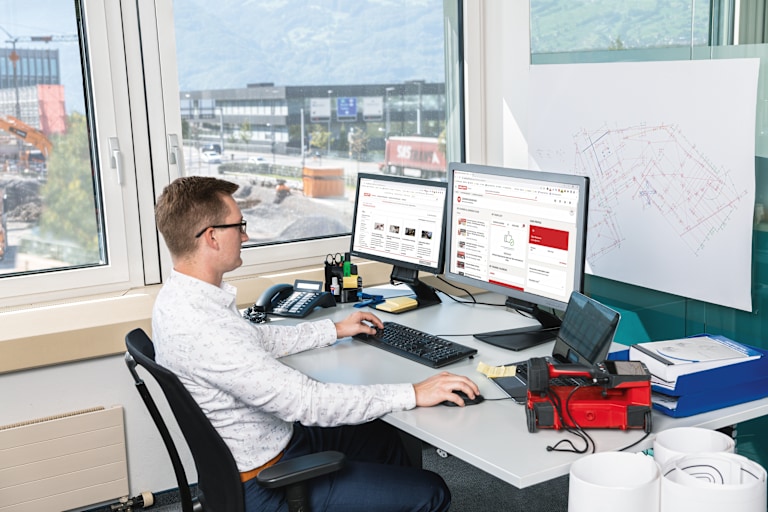
Hilti Academy helps assist contractors build skills and competency in their field and complete requirements for topics related to health and safety, operator and installer training and receive certifications. Activity and outcomes can be tracked and measured to identify skill gaps and create opportunities for improvement. Classes can be accessed 24/7.
If you have not registered for Hilti’s Single Sign On (SSO), you will be directed to do so upon your first visit to Hilti Academy. The email and password entered will also serve as your Hilti Academy and Hilti.com log in. Follow these steps:
After going to Hilti Academy, click Register (to the right)
Enter your work email
Create a password
Enter your country of residence
Accept Terms and Conditions
Check your email for verification code and enter it where prompted
Once logged in to Hilti Academy, update your Personal Info and click “Update” to complete registration
Go to log in screen
Follow prompts and continue to next step
Update your personal information
Choose Yes if you manage a team and No if not
Click Update
Platform Manager account
Platform Manager accounts are an optional, free upgrade, which allows managers or coordinators to manage a group of learners in a company. To enroll a team or set up your Hilti Academy Training Platform, fill out the Hilti Academy Form. The Training Manager can:
Manage users by adding members to the team
Enroll users into courses
Access training performance and earned certificates for all users on their team
Create platform dashboards and analytics
Learner Account
The Learner account is for people on a team, or individuals who would like to learn. Their main page on Hilti Academy is the Training Dashboard. Learners can:
Enroll in trainings or training can be assigned by their Platform Manager
Manage certificates
Be tracked as part of a team or special user group with restricted access
Once you have registered for a free account, view our collection of free trainings here
Select the course you would like to add for yourself or team
Select Enroll
Select Start Learning
Courses will appear under My Courses on the Learner page at Hilti Academy
Platform Manager accounts are an optional, free upgrade, which allows managers or coordinators to manage a group of learners in a company.
The Training Manager can act on-behalf of the learners, which includes assigning additional courses, tracking progress and accessing certificates.
To enroll a team or set up your Hilti Academy Training Platform, fill out the Hilti Academy Form.
Each user needs their own account, and each account requires a unique email address. A company email address is not required; private email addresses are accepted.
Platform Managers may assign courses:
Go to your Platform Manager Dashboard
Click Enroll Learners
Click on the three dots to the right a course and select Enroll Users
Select the User(s) you wish to enroll and click Next
Select the course or learning plan in which you wish to enroll your team members and click Next
Choose Student or Tutor level for team members and set a timeline for course completion
If an employee did not have permission to view pricing or make purchases on Hilti.ca, access is not gained by registering for Hilti Academy or purchasing Hilti Academy content.
Hilti Academy courses are on-demand and available at your convenience. Learn from your desktop, tablet or smart phone. Android and iOS apps are available.
Learners will go to the Learner page and find their assigned courses under My Courses and Learning Plans.
Learners can download their certificates once they complete a course
Click the red Download Certificate box at the top right of the course page upon successful completion of the course
Alternately, click on User Menu ( ≡ ) at top left of page
Select My Activities then the course you have completed
Select the ribbon icon to the right of the corresponding course
An email will also be sent to Learners upon successful course completion with a link to the course with the certificate to download
Platform Managers can download and sign certificates for team members
Click on the Admin Menu (gear icon) at top right of page
Select the course for which a certificate has been earned by clicking on the image of the person that says, "Issued Certificates" when you hover your mouse
Select the course from the pull-down menu on the next page and click on the award icon next to the name of the person for whom you which to download the certificate
You may print and sign the certificate before giving to the Learner