Posted by Mark E Deardorffover 4 years ago
Plain Bolts other than proprietary
How do you specify plain bolts in PROFIS?
1 Reply
Posted by Emily over 4 years ago
Hi Mark,
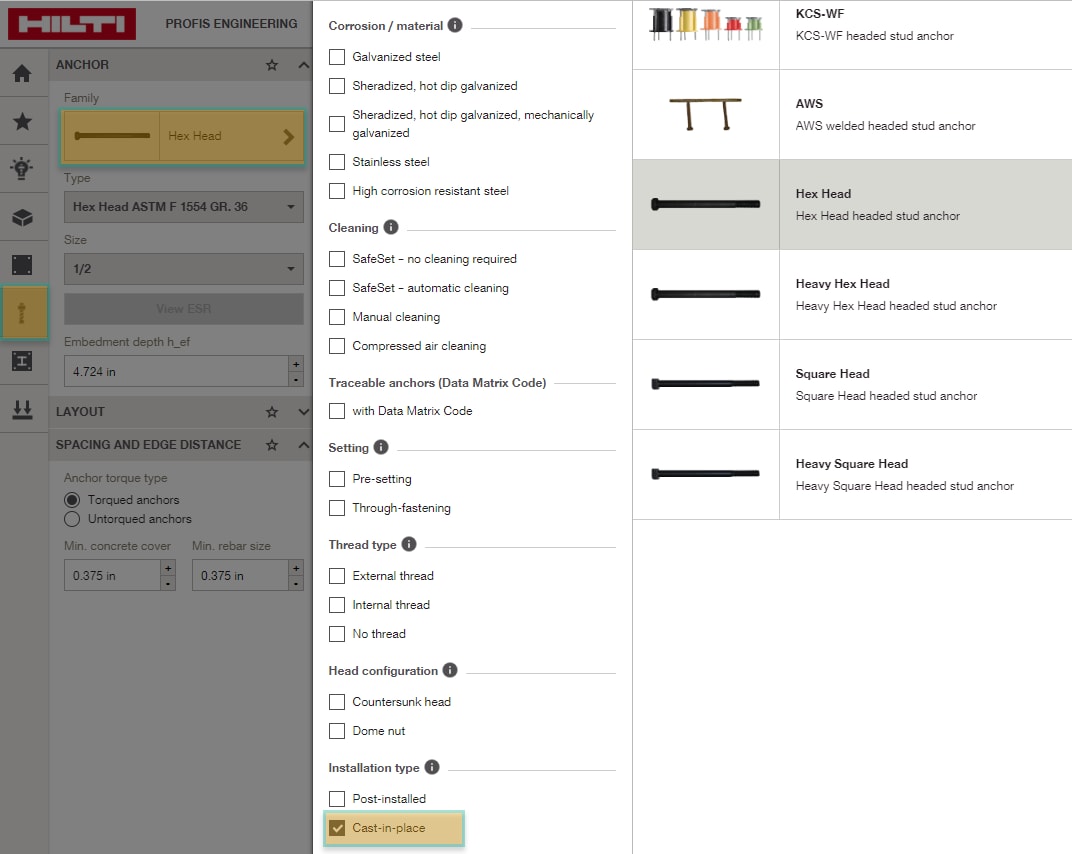
To access cast-in-place anchors within PROFIS Engineering, select the anchor tab on the far left side of your design screen, then select the anchor under the “family” section and a new window will pop up. If you scroll down, you can then select “cast-in-place” under installation type. See screenshot attached.
Best,
Emily