Posted by roy stankewitzabout 2 years ago
is there a way to delete a project or a design in hilti profis engineering
I have too many files in my drafts folder and too many projects. I would like to be able to delete some of them but there does not appear to be a way to do that. Can they be deleted.
1 Reply
Posted by Ashley Couronabout 2 years ago
Hi Roy,
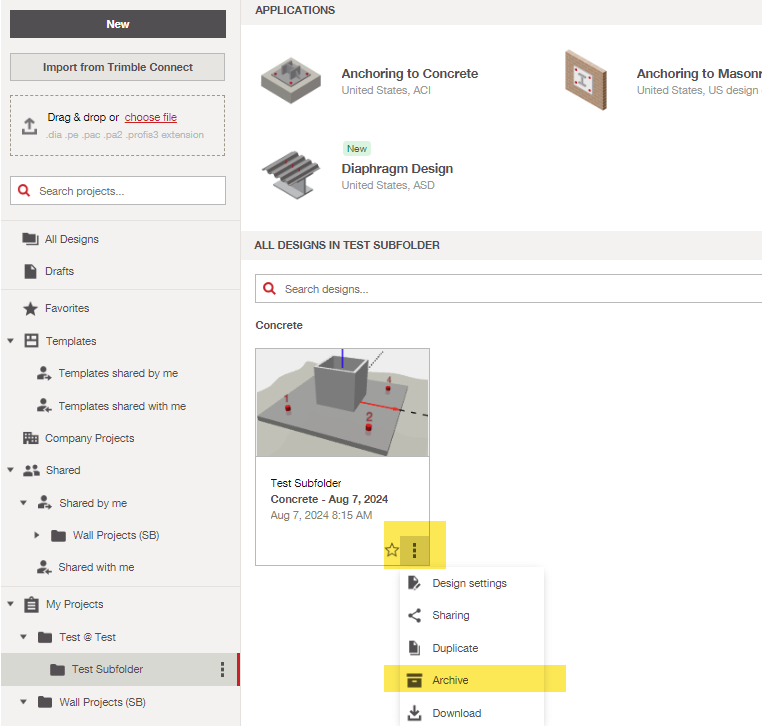
Thank you for reaching out. To remove a project design, the project must be archived first. This is done by clicking the three dots in the bottom right corner of the project thumbnail. This moves the project to the Archive folder. If you would like to completely delete the project, click on the Archive tab in the bottom left corner of the home screen, then click the trash can symbol to delete the project entirely. Please see picture attached for clarity.
Regards,
Ashley