
Posted by Dylan Seesmanover 2 years ago
I cannot find the file/folder modify/share option in the PROFIS Homepage
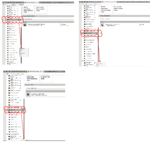
Apparently, I cannot find the option to modify/share my job folders/files on the HILTI PROFIS homepage. It turns out that since the folder I am choosing to modify/share lies at the bottom of the line and hence the option dialogue box is hidden at the bottom of the screen. Please provide a fix for this and a temporary work around for this at your earliest convenience.
The attachment below indicates the inability of the "Option" dialogue box to move with the folder selected.
1 Reply
Posted by Ashley Couronover 2 years ago
Hello,
You may need to change the zoom on your browser. This can be done within your browsers settings. If you need further assistance, please reach out to hnatechncialservices@hilti.com or give us a call at 877-749-6337.
Regards,
Ashley