1 Reply
Posted by Ashley Couronover 2 years ago
Hi Rob,
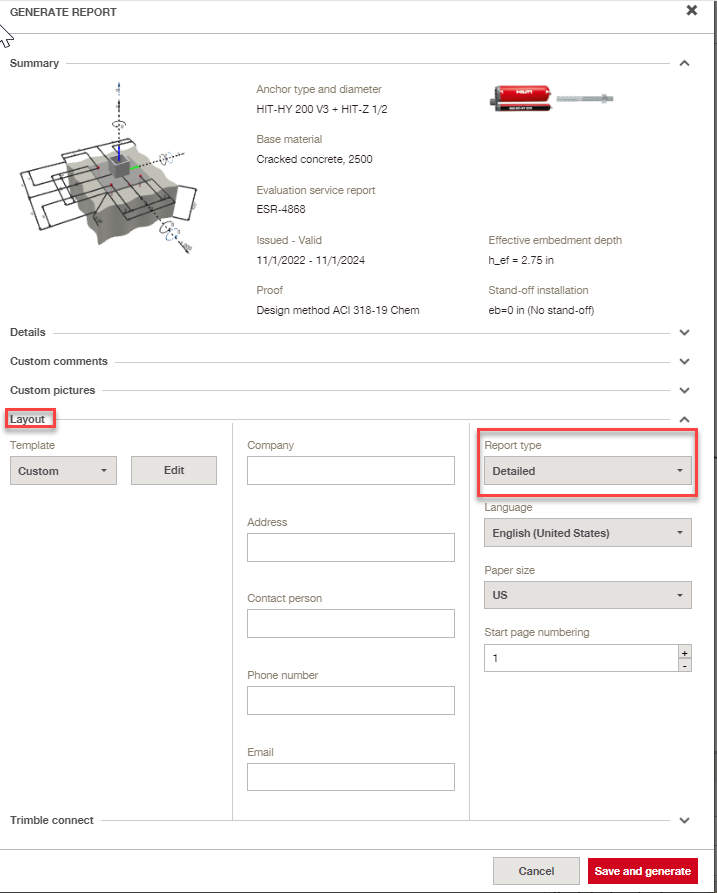
When generating a long report within PROFIS Engineering, set the template to "custom," and then select the "Layout > Report Type > Detailed" button from the drop-down menu (as seen boxed in red below). After doing so, click the "Save and generate" button on the bottom left corner to generate a detailed report.
Regards,
Ashley