Posted by Tim Strasserover 4 years ago
File Name in Profis
Need some help in naming the different calculations
1 Reply
Posted by Ashley Couronover 4 years ago
Hi Tim,
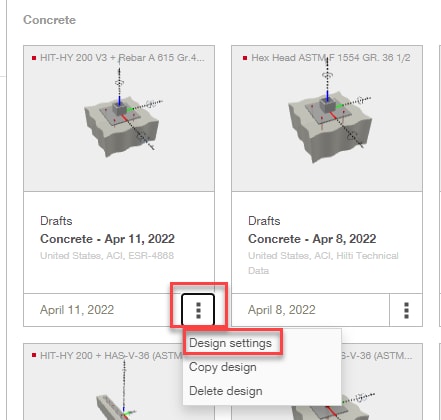
To rename a file in PROFIS Engineering, in the home screen click on the three vertical dots next to the date of a design. Then select “Design settings”. See first image below.
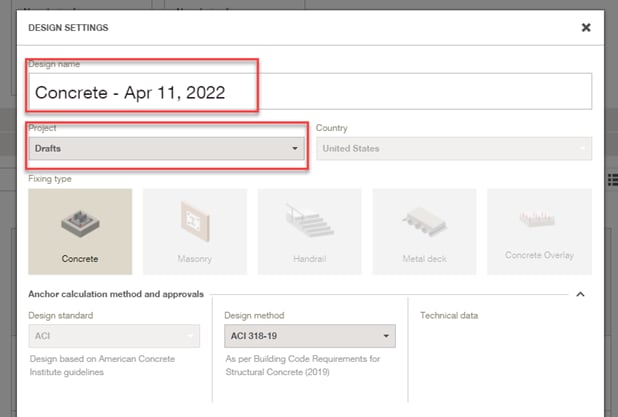
This will bring up a pop up window where you are able to change the Design name and also where the project is saved to. See second image below.
Regards,
Ashley