
Posted by Ali Esmaeilialmost 4 years ago
Canadian Code check instead of ACI
Hi,
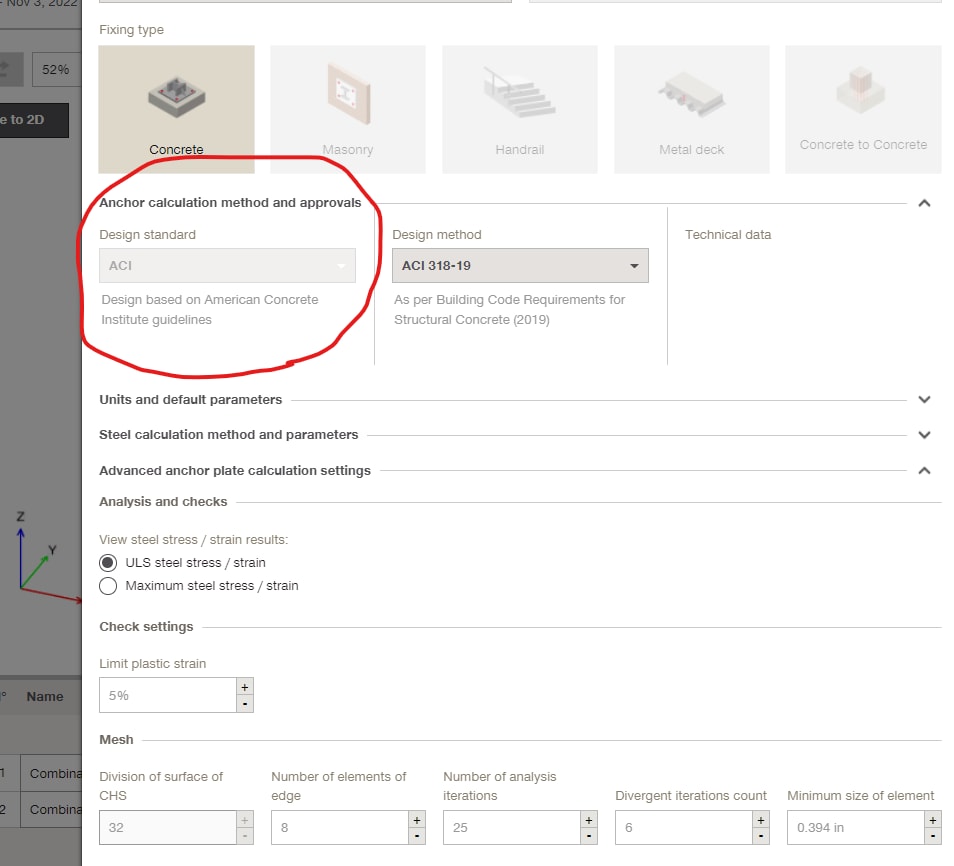
I have an Canadian job and need to use Canadian code instead of ACI, but the only option I have in my advanced setting is ACI (please see the attached). My question is how can I switch to Canadian code for concrete check.
Regards,
1 Reply
Posted by Ashley Couronalmost 4 years ago
Hi Ali,
To change the design code to CSA in PROFIS Engineering, you will need to change the region to Canada, see the below steps for how to do this.
- On the home screen, click the settings button on the left-hand corner.
- Once a pop up box appears,. click on the drop-down box for region and select Canada.
- Click Save at the bottom right-hand corner of the screen to complete the process. You should now be able to design anchoring applications using CSA.
Regards,
Ashley