1 Reply
Posted by Emily over 3 years ago
Hi Eamonn,
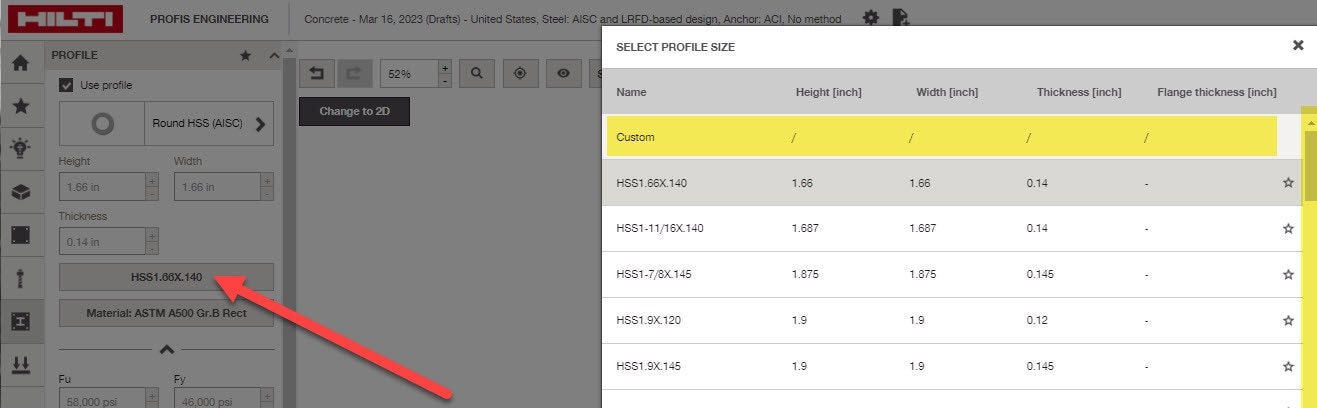
To customize dimensions of a profile, under the profile tab select the current size. A pop up window should appear; be sure to scroll all the way to the top of the profile size list until you see the custom row at the very top. You can then input custom dimensions. See annotated image attached.
Regards,
Emily