
1 Reply
Posted by Ashley Couronalmost 3 years ago
Hi Charlie,
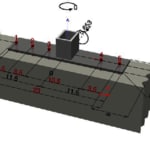
In order to add show/hide elements within the 3D window, you can select the "eye" icon in the middle window of the software. This will bring up the various options including the dimension between the edge of the plate and the anchors. 
If you are still experiencing issues, please email your ".pe" file to hnatechnicalservices@hilti.com.
Regards,
Ashley